Chrome extension
Pinspect
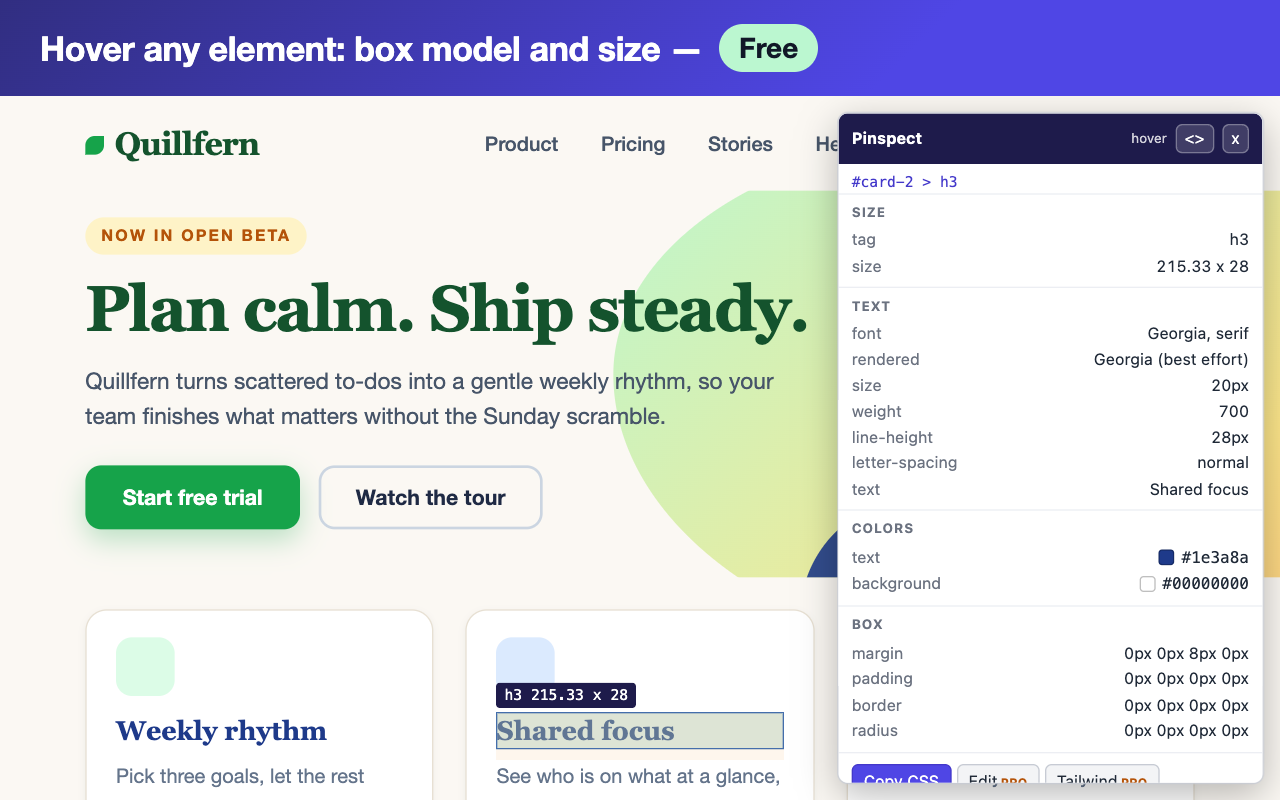
Hover any element to see its box model, fonts, colors and spacing. Click to pin it and copy clean CSS. Pinspect does nothing until you click its icon, shows no pop-ups and collects no data.
Add to Chrome Get Pro, $12 one-time
Free
- Hover box-model overlay: margin, border, padding, content
- Fonts, colors, spacing, borders and radius at a glance
- Pin an element and copy clean CSS (defaults and inherited values left out)
- Copy any color as hex
Pro, $12 one-time
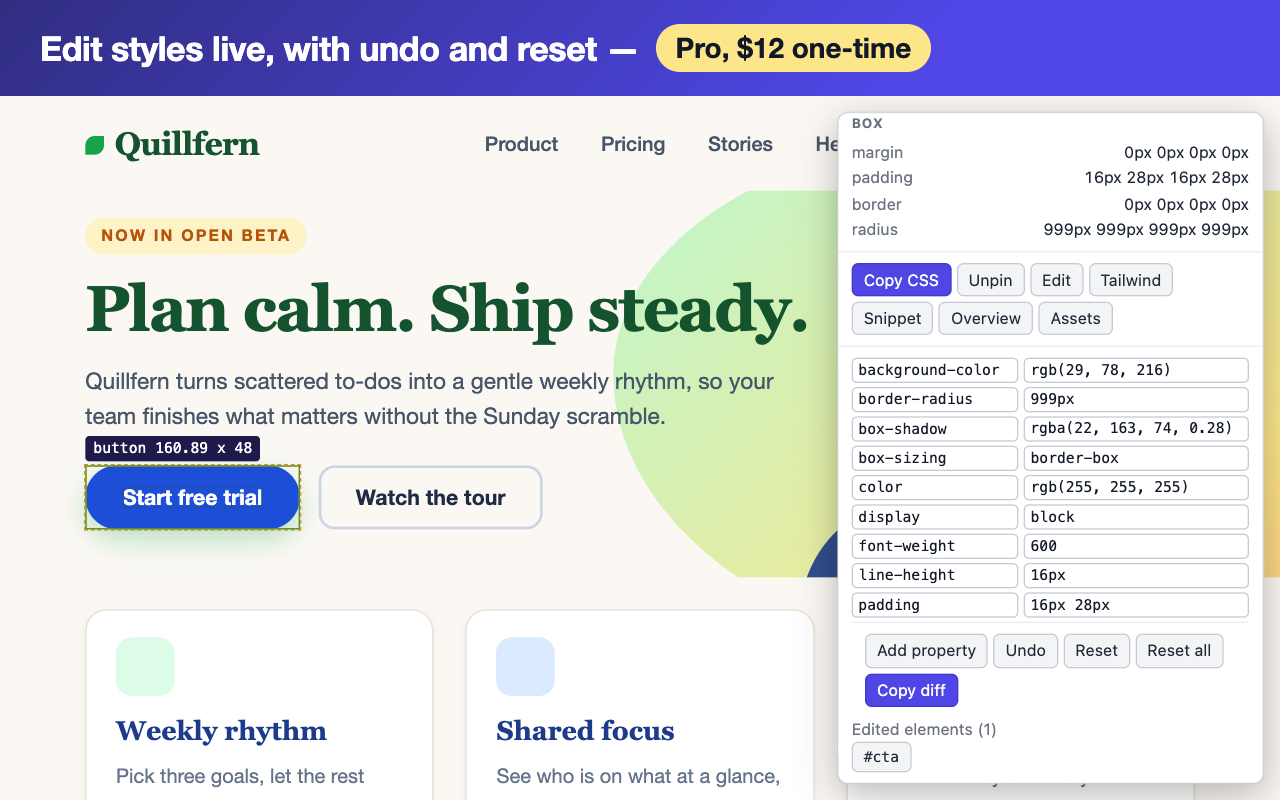
- Live CSS editing with undo, reset and a copy of just your changes
- Tailwind class output for the pinned element
- Page color palette and typography overview
- HTML and CSS snippet export
- Asset list with local downloads
Questions
Is Pinspect a CSS Peeper alternative?
Yes. Pinspect covers the same everyday job (seeing fonts, colors and spacing and copying CSS) with a useful free tier, no injected pop-ups, no tracking, and a one-time Pro price instead of a subscription.
What does Pinspect send over the network?
Nothing, except checking your Pro license key with Gumroad when you activate it and at most once a week after that. There are no analytics and no remote code.
Which permissions does it need?
Only activeTab, scripting and storage. It runs on a page only after you click its icon there.
Is Pro a subscription?
No. Pro is a one-time $12 purchase with a license key. You can ask for a refund within 30 days.